Back in 2019 I forked a repository on GitHub for the DOS version of Legend of Sword and Fairy (仙剑奇侠传). It was a DOSBox bundle: download it, run the emulator. I was never quite happy with that. The game data is only a few tens of MB, yet it came wrapped in a whole DOS environment, and the picture was 320×200 stretched straight up.
Over the last couple of days I redid the repository from scratch: the engine is now a complete port of SDLPAL's C code to Rust, twenty-four thousand lines, running natively on macOS, Linux and Windows; the same code compiles to wasm and runs in the browser, playable online; output is 1280×720, with the original 320×200 game frames scaled up in real time by an FP16 neural network. Three days of work: the port on July 17, the upscaler on the 18th, tuning on the 19th. This post covers the three parts: the port, the upscaler, kernel tuning.
The Rust Port
The reference for the port is SDLPAL, PAL_CLASSIC mode, keeping only the DOS code paths. The order was bottom up: data decompression and fonts first, then the engine and audio, and finally the script interpreter, UI and combat. Almost all of the game logic in this game lives in scripts, with plot, dialogue, triggers and combat entry all opcode driven, so the nearly three thousand line script.rs is the largest file in the repository and the part that took the most time.
The other big chunk of effort went into verification:
- YJ_1 decompression compared byte for byte against the C implementation, all 1159 compressed blocks matching.
- OPL/RIX music: 20 tracks, 30 seconds each, byte-for-byte identical to the original C++ implementation. opl.rs deliberately copies the C loops and lookup tables, out of fear that rewriting them differently would introduce bugs.
- 97 unit tests plus 4 end-to-end tests: for example, triggering a battle through a script opcode, then running the same fight directly with the same random seed, with experience and money required to match bit for bit.
Of course, I had Claude do this port automatically. I have described the method in earlier posts more than once, for instance the one on the mihomo port, so I will only add one thing here: for work like porting, where there is a correct answer to check against, the ceiling on AI output is very high, provided the verification is in place ahead of it.
Real-Time AI Upscaling
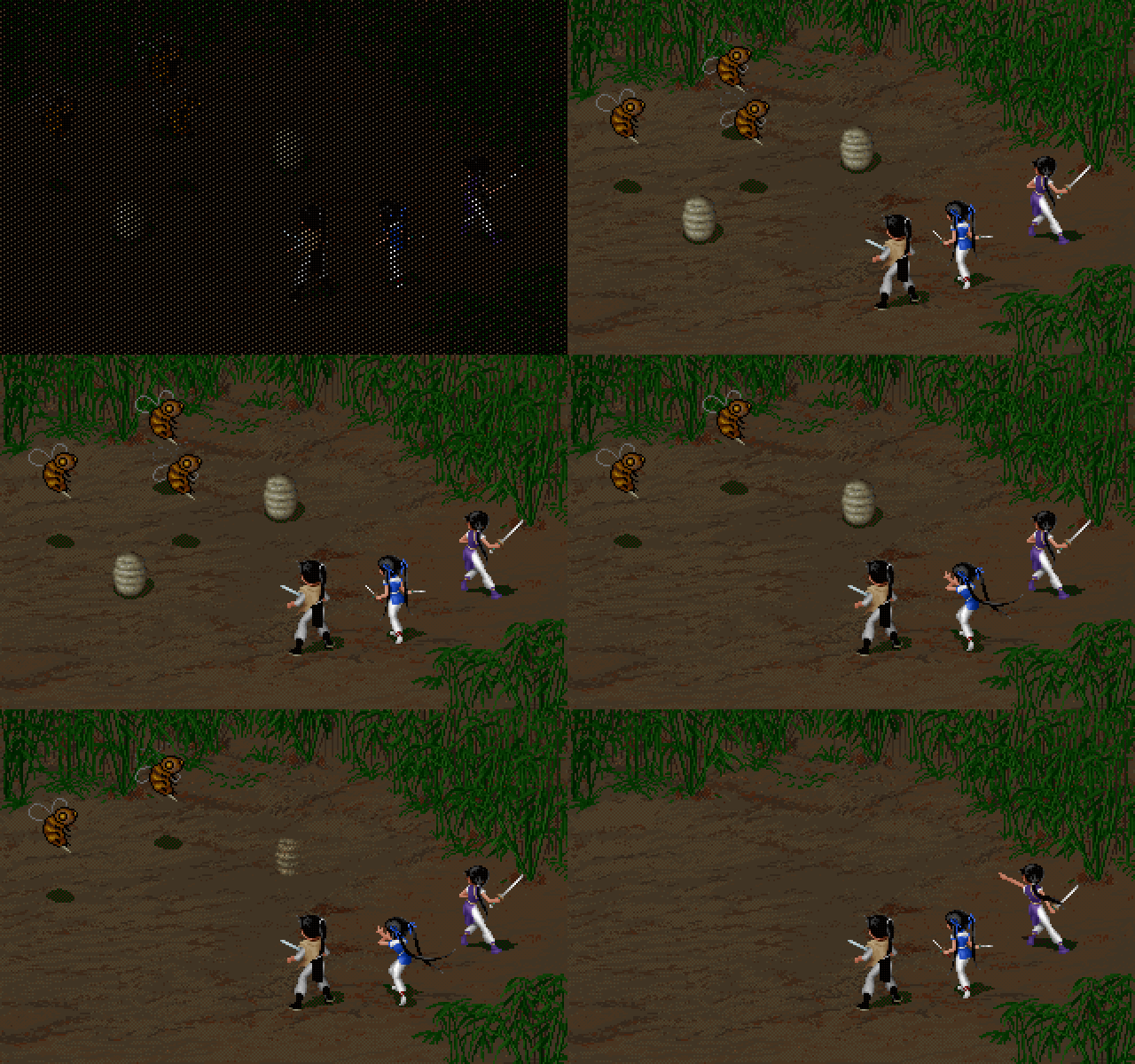
Blow 320×200 up onto a screen today and nearest neighbor gives you nothing but blocks, while xBR and Anime4K sharpen edges but cannot invent detail. I shipped both of those filters in the browser build first, then switched the target to an actual neural network: Real-ESRGAN's animevideov3 model, built for animation and game imagery, structured as SRVGGNetCompact, 18 layers of 3×3 convolutions, 64 channels, 1.19 MB of FP16 weights once packed.
Inference does not go through ONNX Runtime Web. The whole network is hand-written as a single shader module, which I call the mega kernel: all weights preloaded into one GPU buffer, 18 dispatches per frame recorded into a single command submit, and each layer's weight offset coming from a uniform buffer with a 256-byte dynamic offset. Activations are vec4<f16> in NHWC layout, ping-ponging between two 8 MB storage buffers. The final conv_last layer fuses the 4x pixel shuffle, the nearest-neighbor upsampled residual and the clamp all together, writing straight out to a 1280×800 rgba8unorm texture. A Python script packs the weights out of the ONNX model, 38,736 mat4x4s, with a round-trip self-check.
The browser imposes one awkward constraint: the game's canvas already holds a WebGL2 context, so the neural network has to get its own WebGPU canvas layered on top. When the frame rates do not line up, intermediate frames are dropped; when the network is taking 40 to 50 ms per frame, the engine does not wait for it. If any step fails, it falls back to xBR.
The native build reuses the same weights, embedding the .mega.bin with include_bytes!, borrowing the wgpu device straight from pixels, and running the same dispatch order on Metal and Vulkan. Browser and native use exactly the same weights and the same kernel, a constraint I set for myself so the two sides can be diffed against each other at any time.
The accuracy reference is FP16 inference in onnxruntime-web: maximum difference 2/255, average 0.11, and not a single subpixel off by more than 2. The error comes from accumulation order and is invisible to the eye. The cost is a dependency on the shader-f16 WebGPU feature; on devices without it the browser build falls back to xBR and the native build falls back to nearest.
WebGPU Kernel Tuning
The first version of the mega kernel ran at a median of 48 ms on an M4 (pure f16 accumulation; f32 accumulation cost 89 ms), which works out to 21 to 25 fps. Usable, but a long way from 60 fps. The 16 conv_mid layers took about ninety percent of the time, so that is where I started.
Tuning also went to AI to do automatically. Unfortunately both Fable5 and GPT5.6sol refused to do DL kernel optimization for me, so it had to be Kimi K3. First I wrote a sweep page (nn-tune.html) with 21 named variants, timed with GPU timestamps, where each variant first reads the whole network output back to memory and compares it byte for byte against the baseline, and only a match makes its timing count. Measured results from the sweep page (M4, median time for the whole network):
| Variant | Time |
|---|---|
| baseline 8x8x1, 64 threads, 16 accumulators per thread | 54.4 ms |
| channel split=2, 128 threads, 8 accumulators | 30.2 ms |
| split=4 plus 2 pixels per thread, 256 threads | 26.5 ms (adopted) |
| weights in workgroup memory | 42.5 ms |
| 2 pixels per thread without the split | 61.2 ms |
| manually unrolling the in-channel loop | no gain, the compiler had already unrolled it |
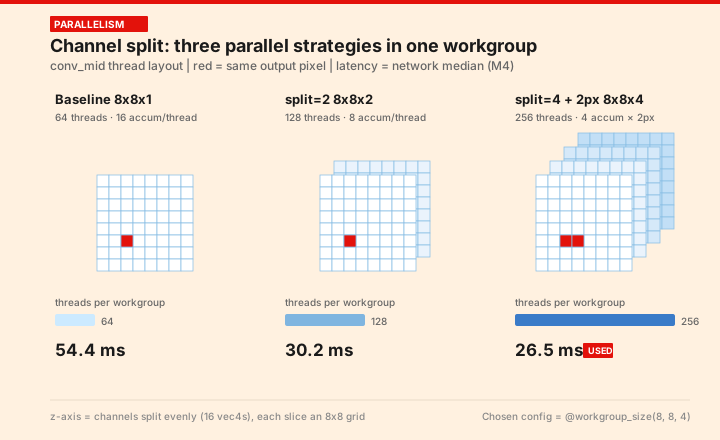
Two conclusions. First, occupancy matters more than shared memory: the channel split cuts per-thread accumulators from 16 to 4, quadrupling the number of resident threads, and the gain is immediate; putting weights in workgroup memory actually loses, because the loading and synchronization are not worth it. Second, computing more pixels per thread only works together with the split, since 2 pixels on its own causes register spill and comes out slower than the baseline.
The final configuration is @workgroup_size(8, 8, 4), an 18×10 halo tile, 23 KB of workgroup storage. That 23 KB deserves a note: WebGPU only guarantees 16 KB, so 23 KB means requesting a higher limit, and a machine that does not get it drops to the 12.8 KB split=2 configuration, which still gives a 1.8x speedup.
The native build moved the kernel onto wgpu and went from 187 ms down to 27 ms, mostly through three things:
- naga zero-initializes workgroup memory by default, and filling the 23 KB tile with a single thread cost about 110 ms on its own. Setting zero_initialize_workgroup_memory: false fixes it.
- naga's forced loop bounding blocks the compiler from unrolling loops, making the convolution chain 2.5x slower. Switching to create_shader_module_trusted turns off bounds checks and loop bounding.
- conv_last got the same channel split 8x8x4 treatment, going from 6.0 ms to 1.6 ms, with byte-identical output.
After that I ported the conv_last split back to the browser build. On Dawn the time was flat (26.48 versus 26.54 ms), but from then on browser and native run the same kernel. I also tried hand-writing MSL to bypass naga, which gained nothing, so WGSL stays. One note on timing method: Metal's pass boundary timestamps were unreliable on this machine, with readings dropping to sub-millisecond, so everything moved to wall clock, 15 rounds of 4 frames each, taking the median and the minimum, and every variant still had to pass the byte-for-byte comparison before its timing counted for anything.
Closing
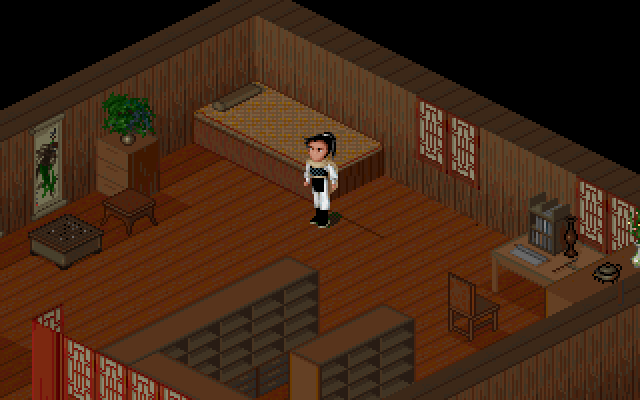
This remake barely touched the art. The original 320×200 hand-drawn pixel art has clean lines and large blocks of color, which happens to be exactly the kind of input these models handle best. Not one pixel was repainted, and personally I think the detail the upscaler fills in is clearly better than xBR. The full cross-platform port plus upscaling plus tuning took three days, and the genuinely hard parts were the byte-for-byte verification of the port and the kernel parameter tuning; the upscaling itself just worked once an off-the-shelf model was dropped in.
I would also offer game companies a suggestion based on this example: plenty of good work from those years is stuck at obsolete resolutions and on obsolete platforms, where a new generation of players simply cannot reach it. Remaking one along these lines does not cost much, and it would let today's kids play the good games of that era.